

Run every hire in one place, from posting to signed offer.
The applicant system built for school districts and charter networks, and it comes with candidates. Post, review, interview, check references, run pre-hire checks, route the recommendation to your board and send the offer, all in EduJobs.
Every module on every plan. Start free, no card.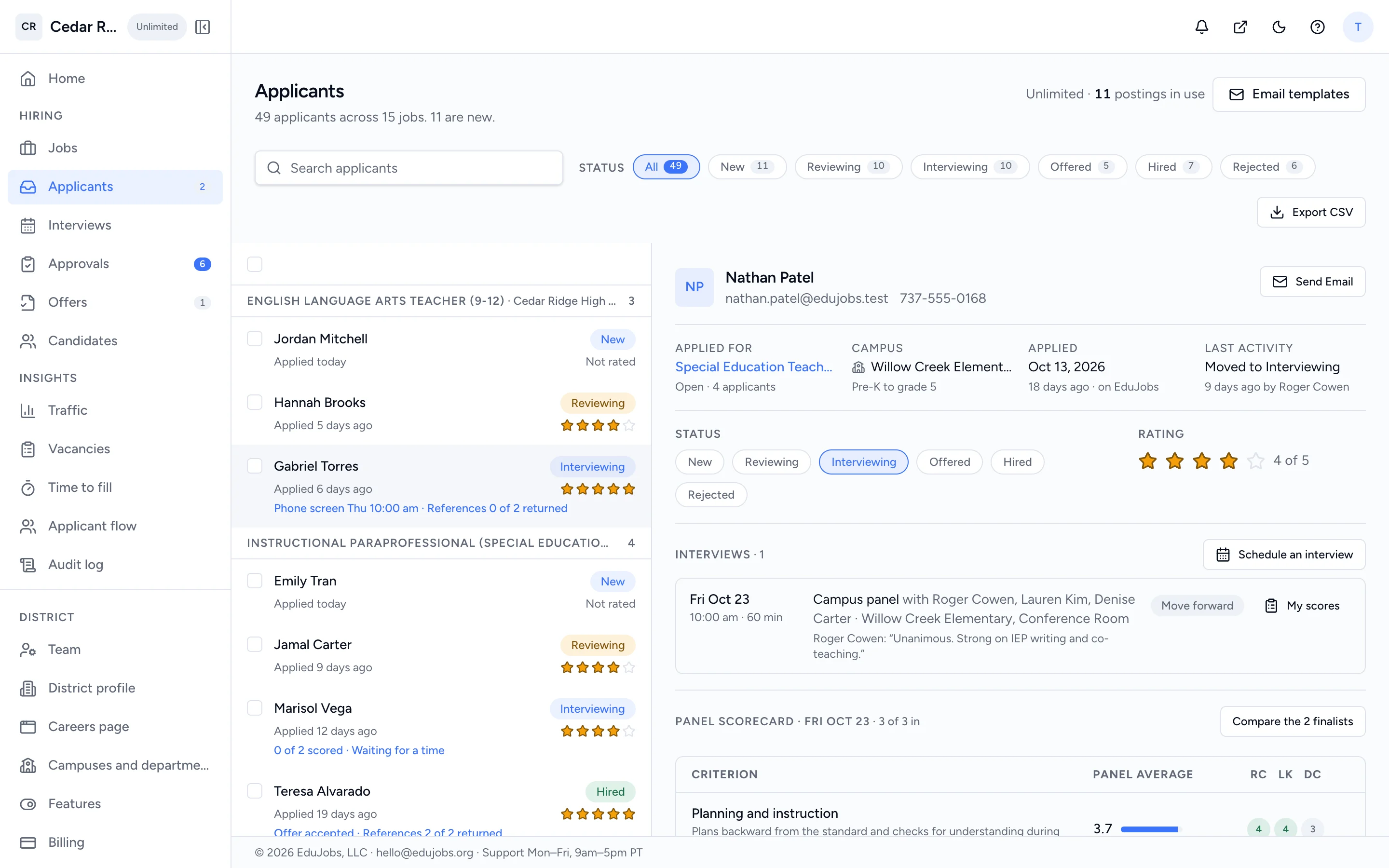
A 4th grade teacher, from posting to signed offer.
An example hire at a fictional district, Cedar Ridge ISD. Every step below happens inside EduJobs.
- Aug 4MondayAug 4
HR posts the role
Started from the elementary teacher template, with two screening questions and the certificate it needs. Scheduled to open Monday morning at Cedar Ridge Elementary.
HR4th Grade TeacherCedar Ridge Elementary · Full timeOpens Mon, Aug 4 - Aug 5–14first 10 daysAug 5–14
Candidates apply on the posting
The posting is live on EduJobs and on the district's careers page. Candidates apply with a resume and answer the questions, on the web or in the app. The principal gets a 7am digest of who applied.
Candidates · EduJobs and the careers widget18 applicants3 flagged: certificate not attachedExample figures - Aug 15FridayAug 15
The principal shortlists and offers interview times
Three finalists move to Interviewing. Each gets a link with three panel times to choose from.
Hiring managerPick a timeTue, Aug 19 · 3:30 pmThu, Aug 21 · 10:00 amFri, Aug 22 · 1:00 pm - Aug 21ThursdayAug 21
Panel interview, scorecards and references
Three panelists score on the district rubric. References answer a short form on a link the same week.
Interviewers · a 1–4 rubricLena Ortiz · 3.7 average3 of 3 scorecards in2 of 3 references returned - Aug 25MondayAug 25
Pre-hire checks and a background check
HR orders a background check from the pre-hire card. Lena fills in the screening form on a secure link, and the result comes back on her record with the rest of the checklist.
HR · background checks are an add-onPre-hire checksCertificate verifiedDo-Not-Hire Registry clearFingerprinting doneBackground check clearReady to recommend - Aug 27WednesdayAug 27
Recommendation to HR, superintendent, board
The principal recommends Lena with a salary schedule placement. HR and the superintendent approve, and she goes on the next consent agenda with a printable packet.
HR → Superintendent → BoardSep 8 consent agendaTeacher, Step 4 · Replaces a resignationApproved by the board - Sep 9TuesdaySep 9
The offer goes out, and comes back signed
The offer letter fills from your template. Lena opens the link, reads it and signs by typing her name. She moves to the new-hire export for payroll.
HR · offer letter templateAcceptedSigned Sep 9, 6:12 pmLena Ortiz
Dates, names and counts are illustrative. Your steps follow your district's own approval settings.
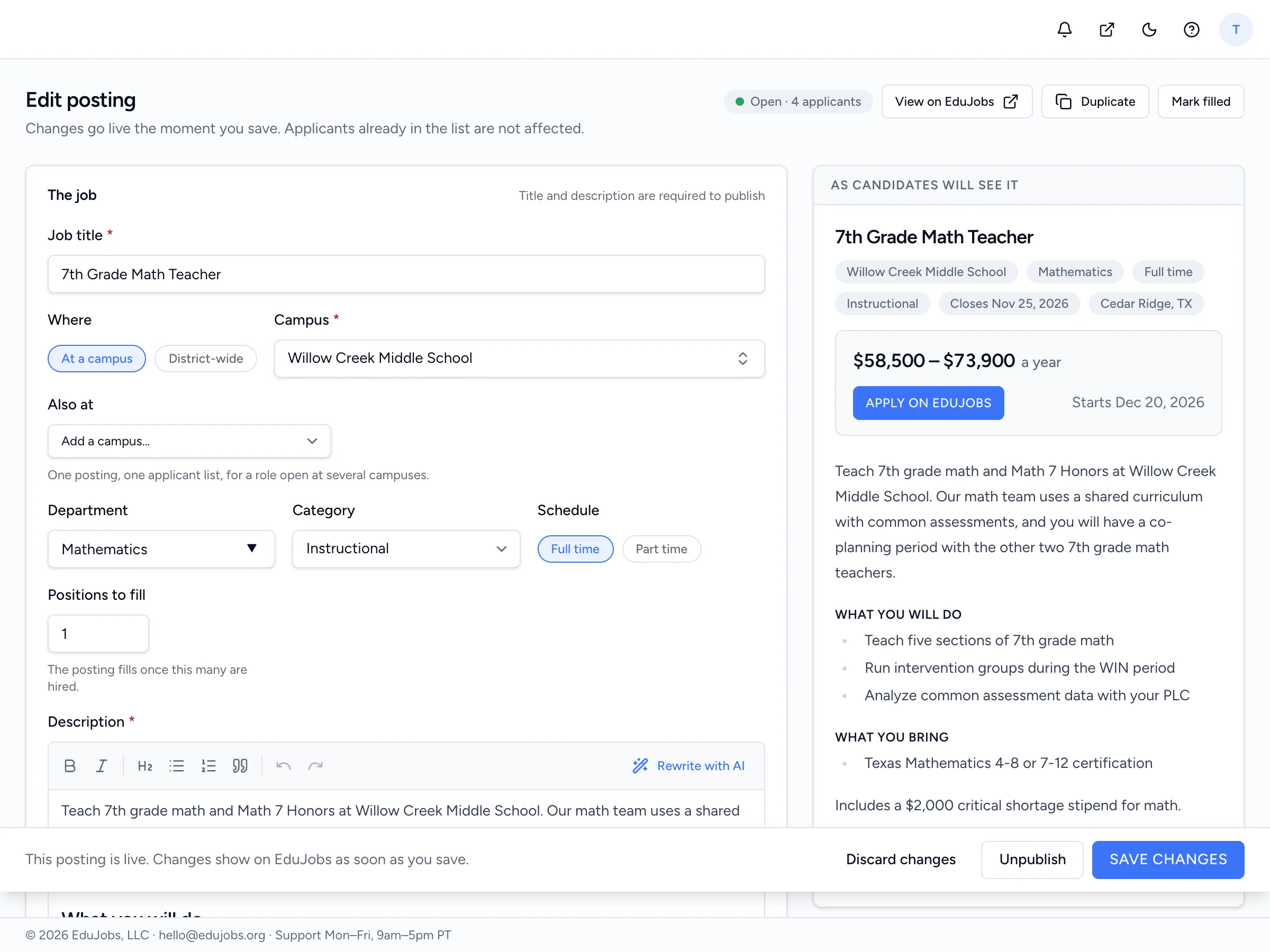
Write it once, put it everywhere it needs to be.
Publish now or on a date, across one campus or twenty, as public, internal-only or a standing applicant pool.
- Screening questions with knockout answers
- Required documents and certifications, flagged not blocked
- Draft a description with AI, or start from a template
Every applicant, by job, with the whole record one click away.
Statuses your team already uses, notes with @mentions, bulk actions with undo, and finalists side by side.
- New, Reviewing, Interviewing, Offered, Hired, Rejected
- Candidate pools and tags across every posting
- A 7am digest of who applied yesterday
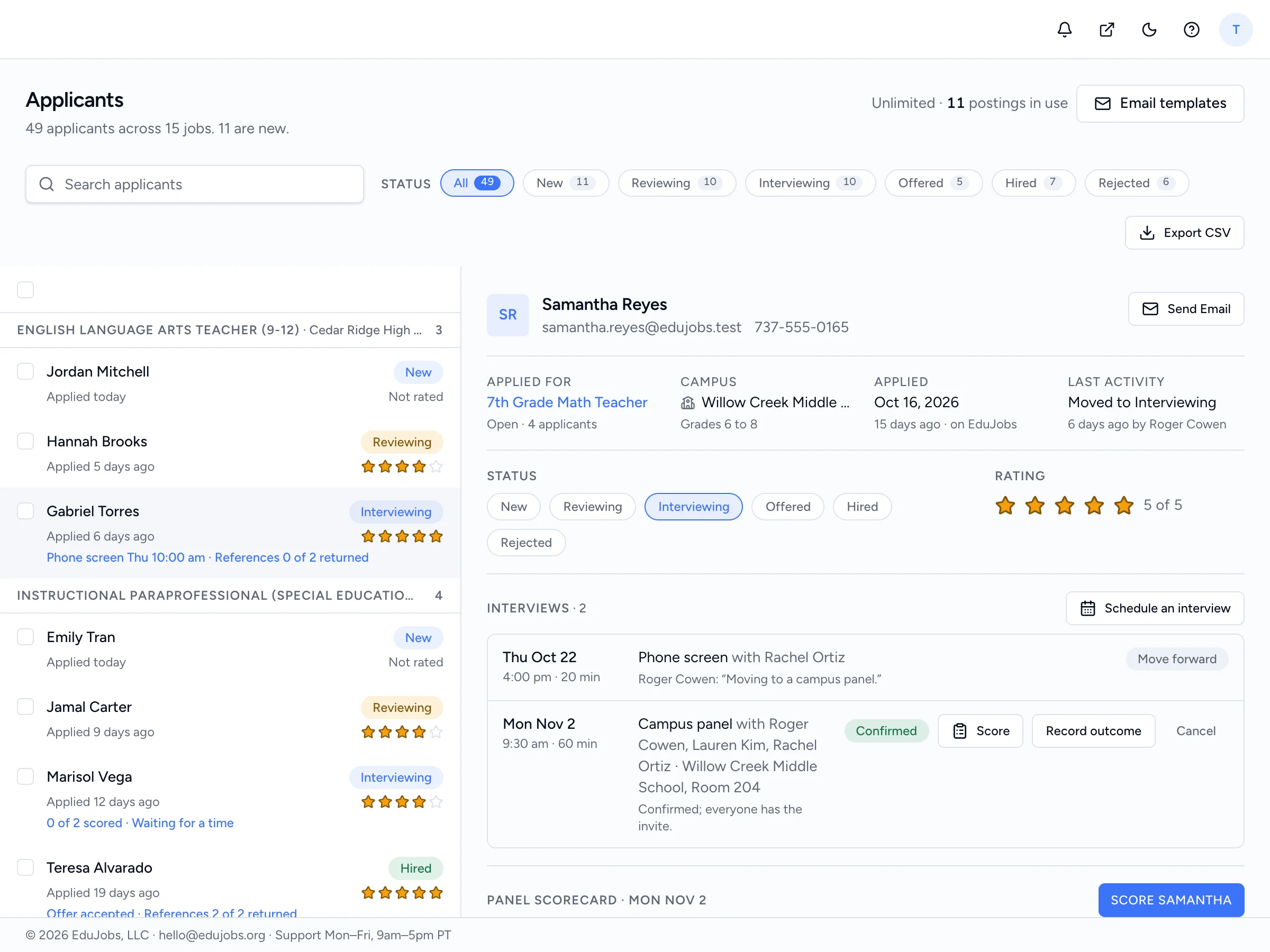
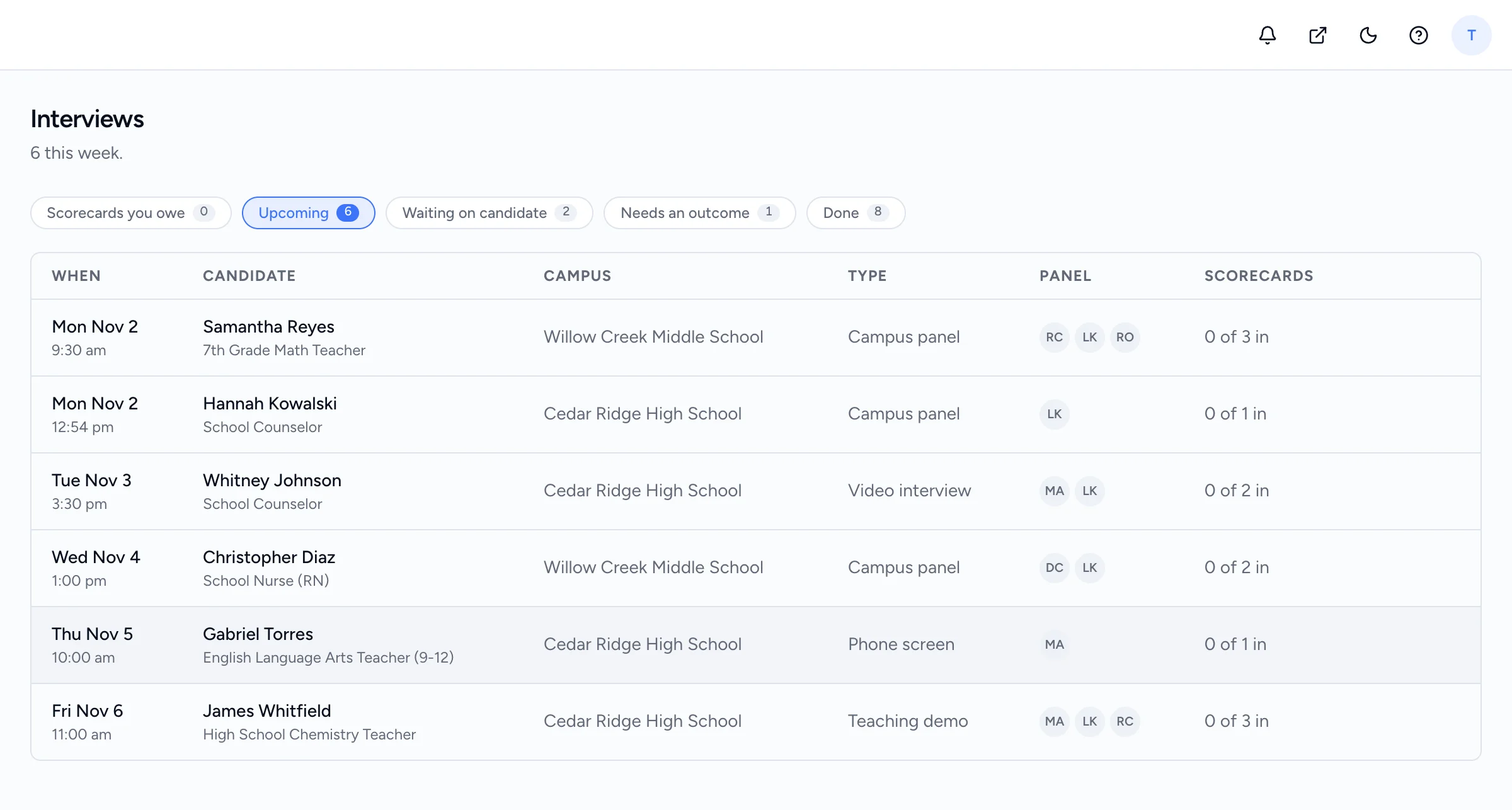
No more back-and-forth to find a time.
Offer a few times and the candidate picks one on a link or in the app. Panelists score on your rubric, and references answer a short form.
- Phone, video, panel and teaching-demo interviews
- Calendar invites for Outlook, Google and Apple
- Scorecards compared side by side
Pre-hire checks without the paper chase.
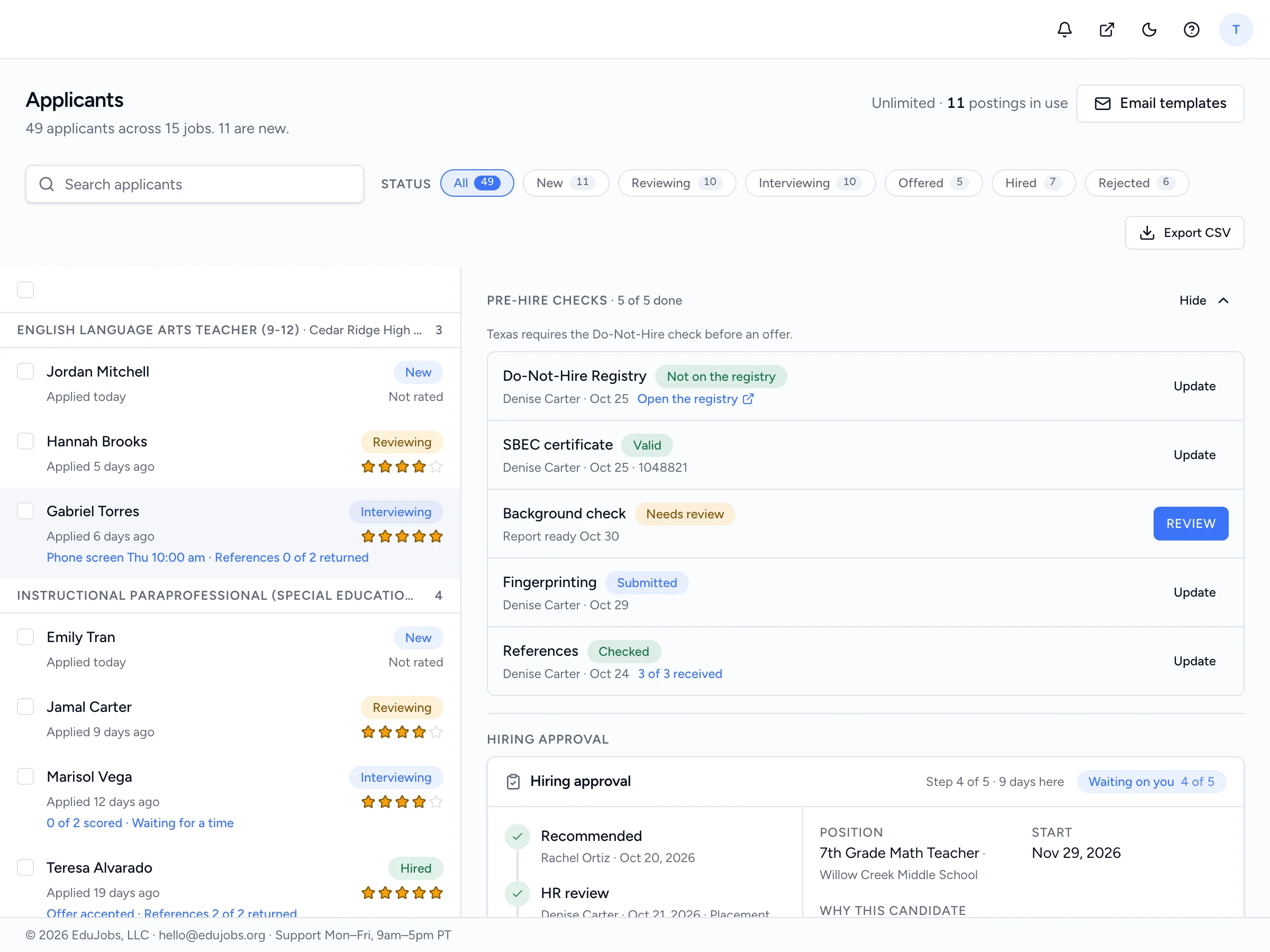
Every finalist gets a checklist: certificate, fingerprinting, references and, in Texas, the Do-Not-Hire Registry. Order a background check from the same card and watch it move.
- The candidate fills in the screening form on a secure link
- Candidates see where their check stands, never the result
- A result that needs review goes through an adverse action process with a waiting period
- Background checks are an add-on: $39 each plus any county court fees, or less in bundles
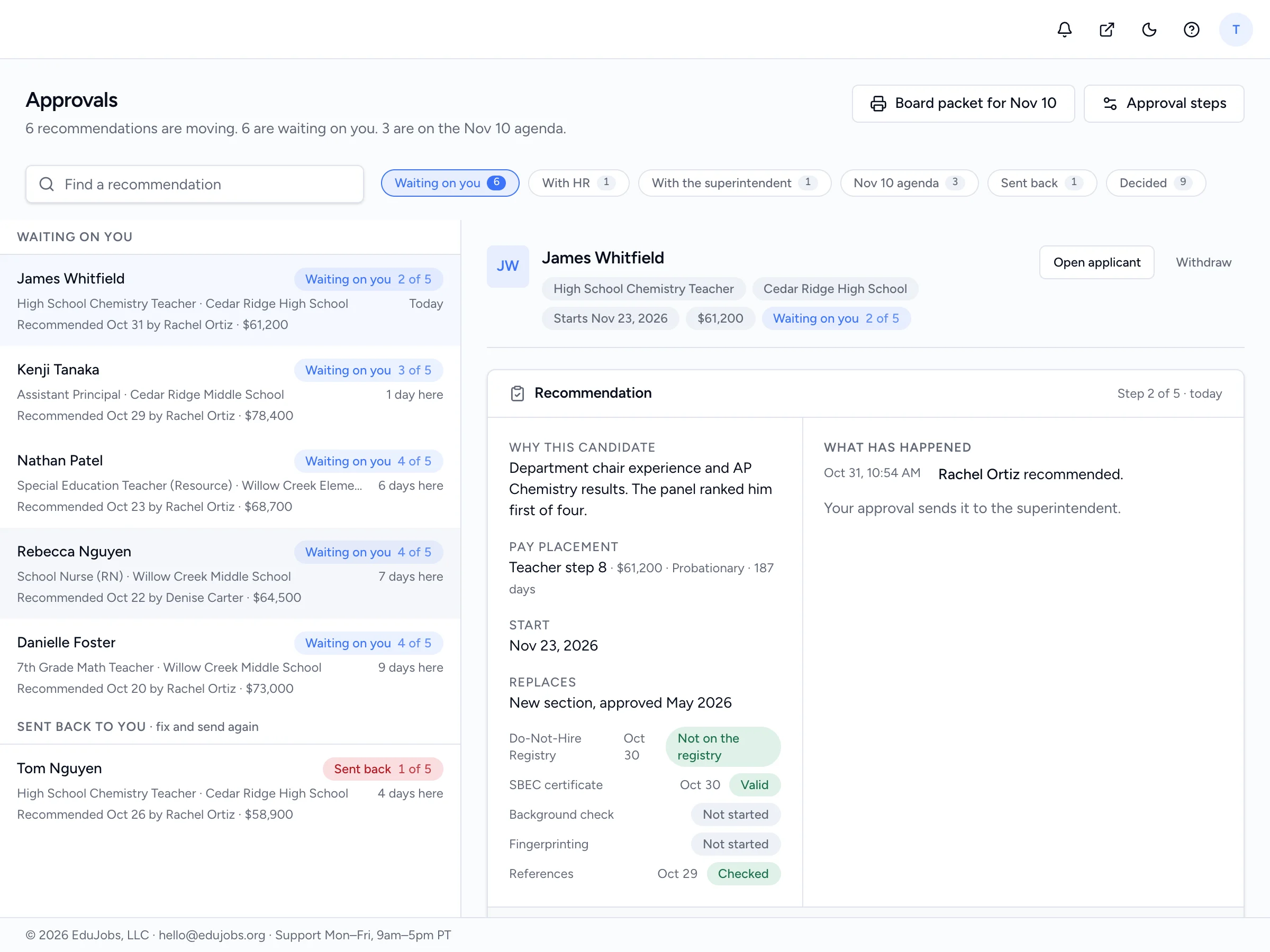
From recommendation to board vote to signed offer.
The recommendation moves from HR to the superintendent to the board, with salary schedule placement and a printable consent-agenda packet. Then the offer goes out and comes back signed.
- Approval steps that match your board policy
- Offer letters from your template, signed on a link
- New-hire export for payroll and HR
Your postings go live where educators already search.
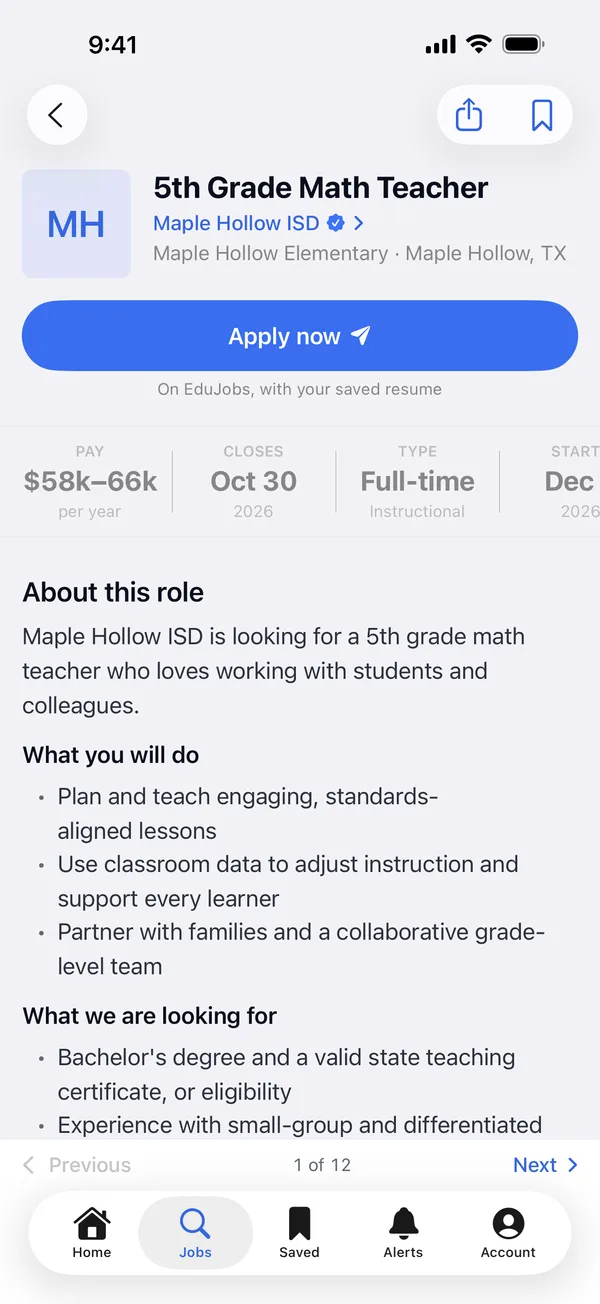
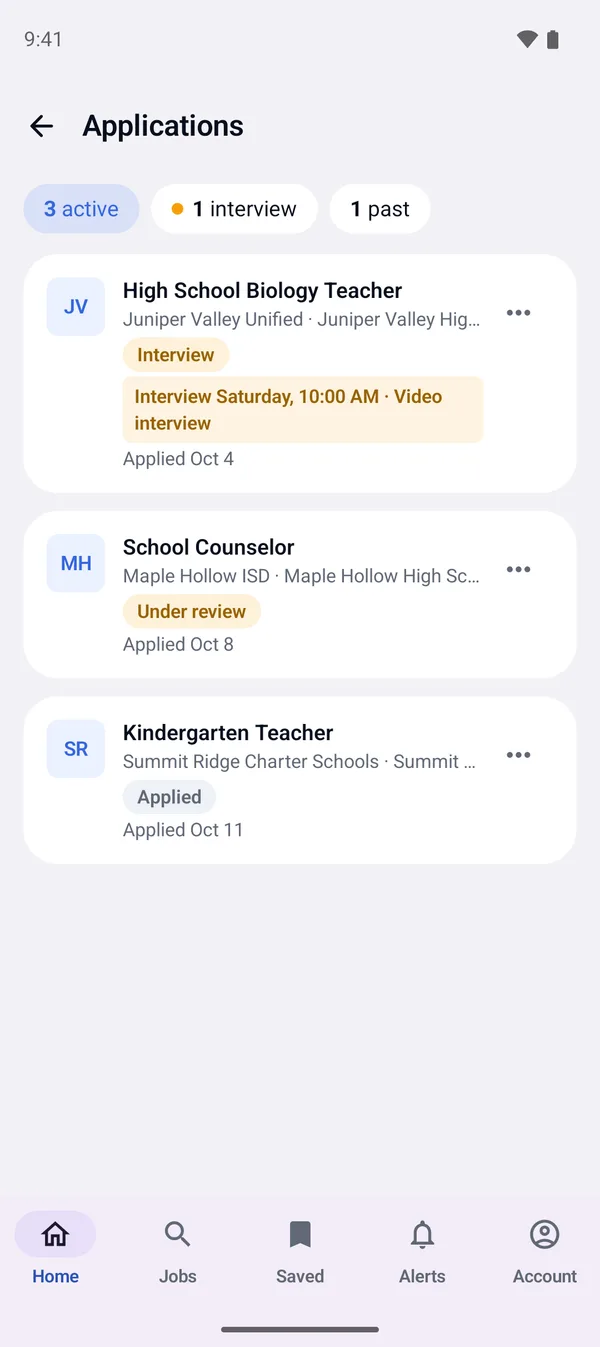
Every posting appears on EduJobs, a national job board for schools, and on your district's own page. Job seekers get alerts for roles like yours and apply right on the posting or in the EduJobs app for iPhone and Android.
- Apply on the posting with a saved or new resume, documents and your screening questions. No account needed.
- Candidates pick interview times and follow their status in the app.
- Your open roles on your own website with the careers widget.
The parts a general applicant system leaves to email and spreadsheets.
Campus-scoped access
A principal sees their own campuses. HR sees the district.
Four roles
Admin, HR, Hiring manager and Interviewer, each with the pages their job needs.
Board-ready
Recommendations become a consent-agenda item you can print for the meeting.
EEO kept apart
Voluntary self-identification is stored apart and never shown to the hiring team.
Audit log and two-step sign-in
Who changed what and when, and a district-wide two-step sign-in rule.
Reports with CSV
Vacancies by campus, time to fill, and views and apply clicks per role.
Moving your hiring over, step by step.
No migration project. Start with one posting or bring them all.
- 1
Claim your page
A work email on your district domain claims it on the spot.
- 2
Bring your postings
Import every open role from a spreadsheet.
- 3
Invite your team
Give each person a role and the campuses they cover.
- 4
Swap your careers link
Paste the careers widget into your website.
- 5
Keep your records
Export every record, resume and document any time.
Every plan includes everything on this page.
Plans differ only in how many postings you manage. Background checks are an add-on.
3 postings at a time. No card.
One posting for 60 days.
25 postings to use over 12 months.
Priced by enrollment. Purchase order or card.
Before you switch
Can we bring our current postings over?
Yes. Import every open posting from a spreadsheet, or start from templates. Applicants from your old system stay there; new applications come to EduJobs.
Do candidates need an EduJobs account to apply?
No. They apply on the posting with a resume and answer your questions. An account lets them save their resume and follow their applications in the app.
Does it work with our calendar?
Every booked interview sends a calendar invite that works with Outlook, Google and Apple Calendar.
How do background checks work?
Background checks are an add-on your Admin turns on. HR orders one from the pre-hire card on the applicant, the candidate fills in the screening form on a secure link, and the status and result land on the record. They cost $39 each plus any county court fees at cost, or less in bundles.
Who can see what?
You choose each person's role and, if you like, the campuses they cover. EEO answers are kept apart from the hiring team, and the audit log records every change.
What does it cost?
Every plan includes every module. Start free with three postings, then pay per posting, buy a 25-pack, or go Unlimited priced by enrollment. Background checks are an add-on.
Can we leave?
Any time. Export every record, resume and document in one file.
Hire your next teacher on EduJobs.
Every module from day one. Start free, no card, or walk through it with us first.